How a smart home installation works in Cape Town
A smart home installation is the wiring, network and control equipment that lets a property's lighting, climate, security and entertainment be operated from one place. In Cape Town it usually combines automation, CCTV, access control, structured cabling and backup power, because those systems share the same cabling routes and the same network. The work is mostly planned before anything is mounted: what the property must do, how many circuits and devices it needs, where cable can run, and how the systems will be supported afterwards. This guide explains the scope, the planning stage, the cost drivers, and the mistakes that make an installation unreliable — so you can brief an installer with confidence, whether the property is a family home in the Southern Suburbs or a commercial building in the city bowl.
What a smart home installation includes
A complete installation covers the systems a property uses every day, specified together so they share power, network and control instead of competing for it.
- Lighting circuits, dimming and blinds or curtains
- Climate control for air conditioning and underfloor heating
- Security: cameras, access control, alarms, gate and intercom
- A network backbone with structured cabling and reliable Wi-Fi
- Entertainment: distributed audio, cinema and television points
- Backup power and solar so the system keeps working in an outage
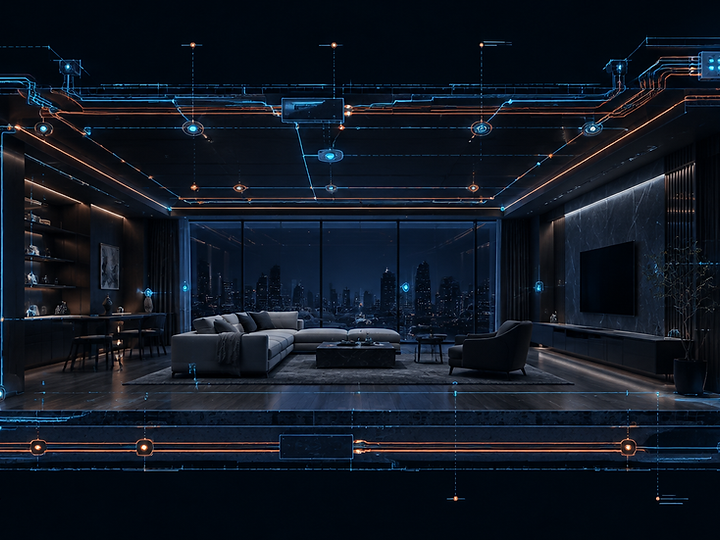
Planning happens before any cabling
The first visit is a walkthrough, not a sales pitch. We list every circuit, blind, camera, door and room that needs control, then check where cable can actually run — through ceilings, along skirtings, inside existing conduit, or in new channels chased into the wall. From that we draw the network topology: where the rack goes, how many switch ports each area needs, where access points must sit for even Wi-Fi coverage, and which equipment needs to stay powered during load-shedding. Only once the schedule of points, the routes and the power plan exist can a realistic quotation be produced. On renovations we coordinate with the builder and electrician so first-fix cabling goes in before walls are closed; on completed homes the plan is arranged around what can be reached without unnecessary damage.
What drives the cost
Number of controlled circuits
Every light circuit, blind motor and climate zone needs its own control point, so the count of switched loads matters more than the floor area.
Cable routes and wall construction
Double-storey homes, concrete slabs and finished walls take longer to route than a single-storey renovation with open ceilings or trunking already allowed for.
Network and power foundation
A rack, patch panel, switch and adequate backup power underpin everything else. Fixing this first costs less than retrofitting it around finished systems.
Equipment tier
Wired, professional-grade control gear costs more up front than wireless consumer devices, and needs fewer replacements and workarounds over the life of the property.
How long it takes
A single-room installation or a camera system is usually one to three days. A whole-property retrofit typically runs one to three weeks of site work, scheduled in phases so the house stays usable and network or security equipment is never off for a full day. New builds are faster on site because cabling goes in before finishes, but they depend on the building programme. Handover includes labelled points, documented device addresses and a walkthrough of the controls, because an installation nobody can operate is not finished.
Mistakes worth avoiding
- Choosing devices before deciding what the property must actually do.
- Letting separate contractors cable separately, so no one owns the finished system.
- Skipping the network — most unreliable smart homes are unreliable networks.
- Leaving no documentation, so the next technician has to reverse-engineer the installation.
- Forgetting backup power for the network and security equipment that must stay online.
Planning an installation in Cape Town?
Tell us the property, the rooms and what you want to control, and we will confirm the scope and arrange a site visit.